Your next account.
Your partner code.
One Companion.
Meet PROPPED Companion — your browser sidekick for futures prop firm checkouts. Keep your favorite firms close, find the right PROPPED partner code, and bring checkout assistance directly to the page you’re on.
Built by PRPD.IO — The Propfirm Hub
Add to Chrome Available now in the Chrome Web Store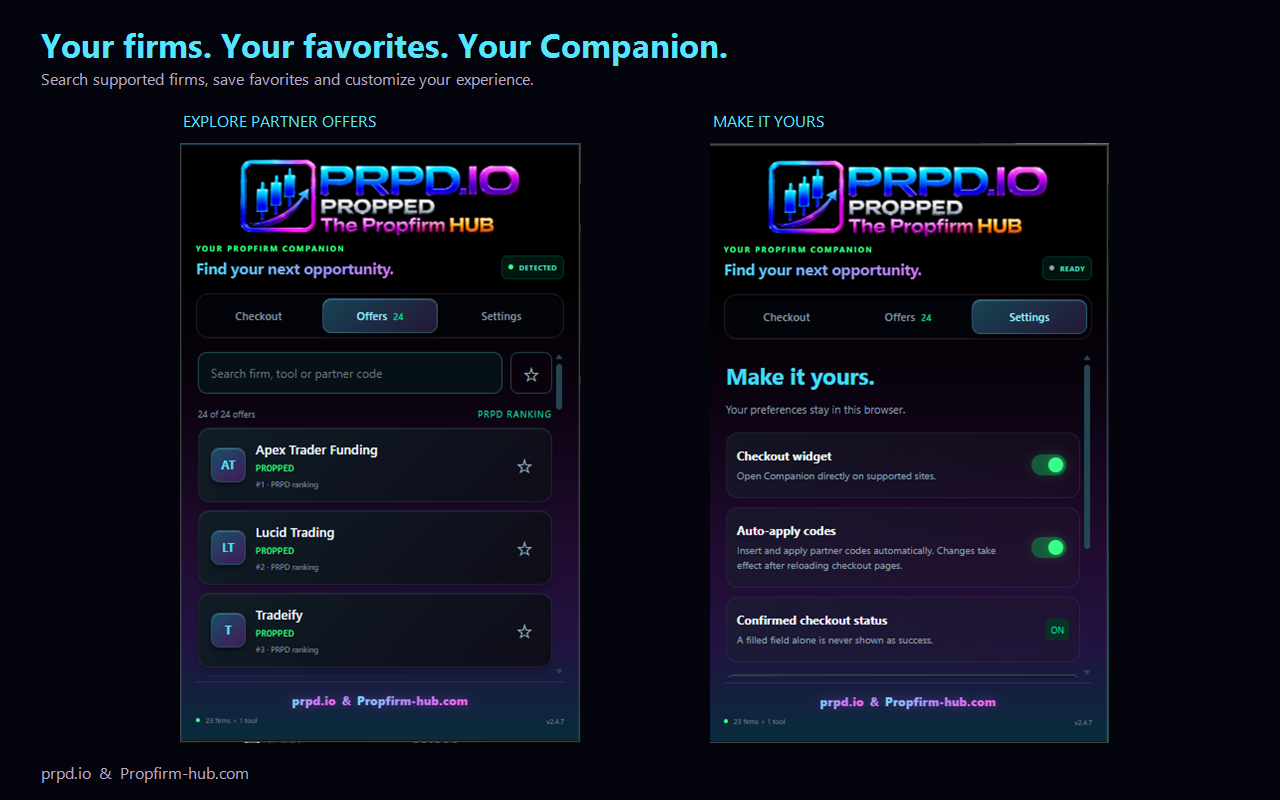
Less searching. More convenience.
You’ve found your firm. You’ve picked your account. Your partner code should be easy to find.
On supported websites, PROPPED Companion recognizes the provider and displays its configured partner code. Checkout assistance helps enter and submit the code, while the status display follows the response.
Always check the final total. Entering a code is the first step — the provider decides whether the offer applies.
Small P. Right where you need it.
Look for the glowing P at the edge of a supported website.
Open it to view your partner code, copy it, or access the available checkout action.
Move it vertically to a comfortable spot or hide it for the current page.
Switch the widget off in Settings anytime. Your Companion stays within reach while you explore.
Your firms. Your favorites.
Keep the firms you care about a click away.
- Search quickly: Find supported firms by name or partner code.
- Save your favorites: Build your own shortlist.
- Find your shortlist: Filter the directory to show only your favorites.
- Explore the directory: Browse firms in an order based on the PRPD.IO ranking.
- Open partner links: Head to the provider directly from the Companion.
The right code for the right firm.
Partner codes aren’t always the same across providers. PROPPED Companion connects the configured code or referral route to the relevant firm, so you can see what to use at checkout.
Offers can differ between evaluations, account sizes, renewals and other products. Check the provider’s current terms before purchasing.
From detection to confirmation.
An inserted code is not automatically a confirmed discount. If the Companion is still checking, use the provider’s own response and order total to verify the result.
Make it yours.
Choose how the Companion fits into your browsing. Manage the floating widget and available checkout preferences, save your favorite firms, and replay the welcome tour whenever you want a refresher.
The floating P animation respects your browser’s reduced-motion preference.
Your preferences stay with you.
Favorites and settings are stored locally in your browser. The Companion processes supported page addresses and checkout content locally to provide its features. It does not transmit your passwords or payment details to PROPPED.
Applying a partner code or opening an affiliate link communicates with the relevant provider or affiliate service. Read our Privacy Policy for details.
See it in action.
Discover the floating P panel, partner-code assistance, searchable firm directory and personal settings across supported futures prop firm checkouts.
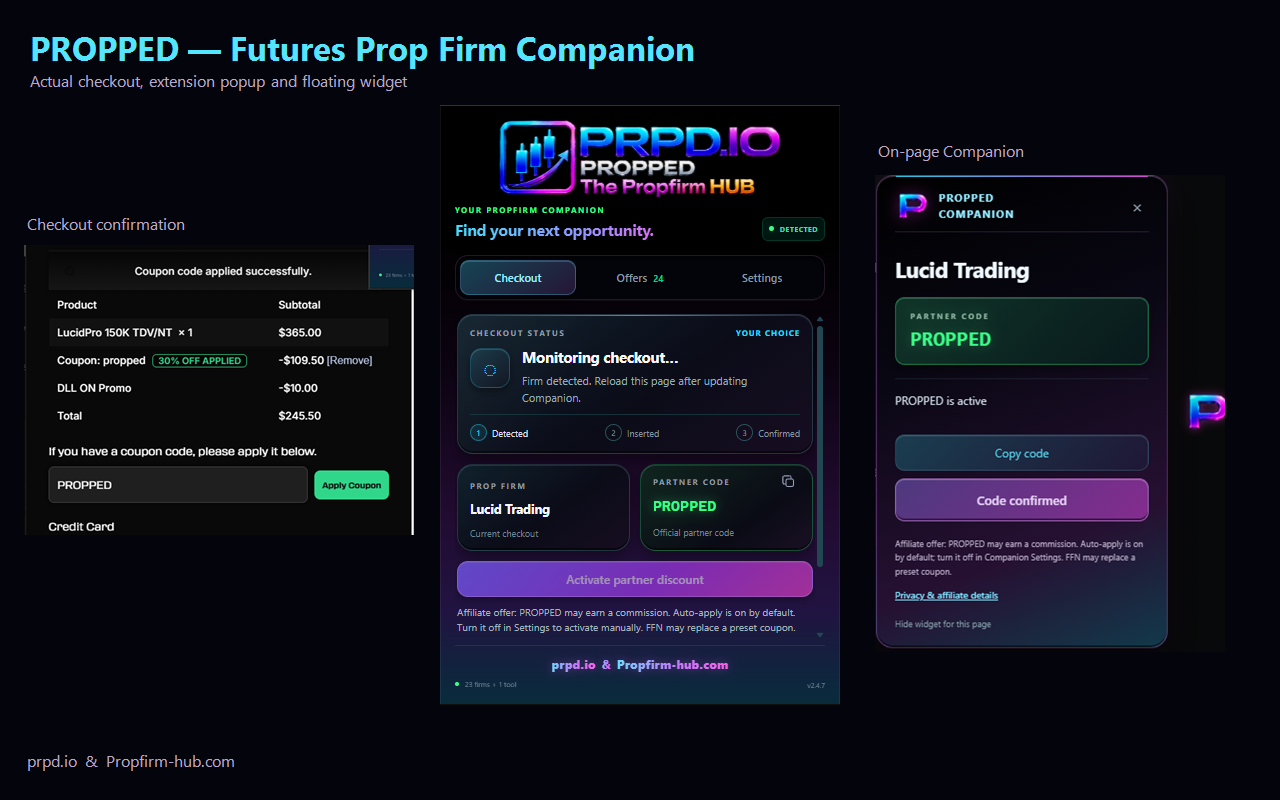
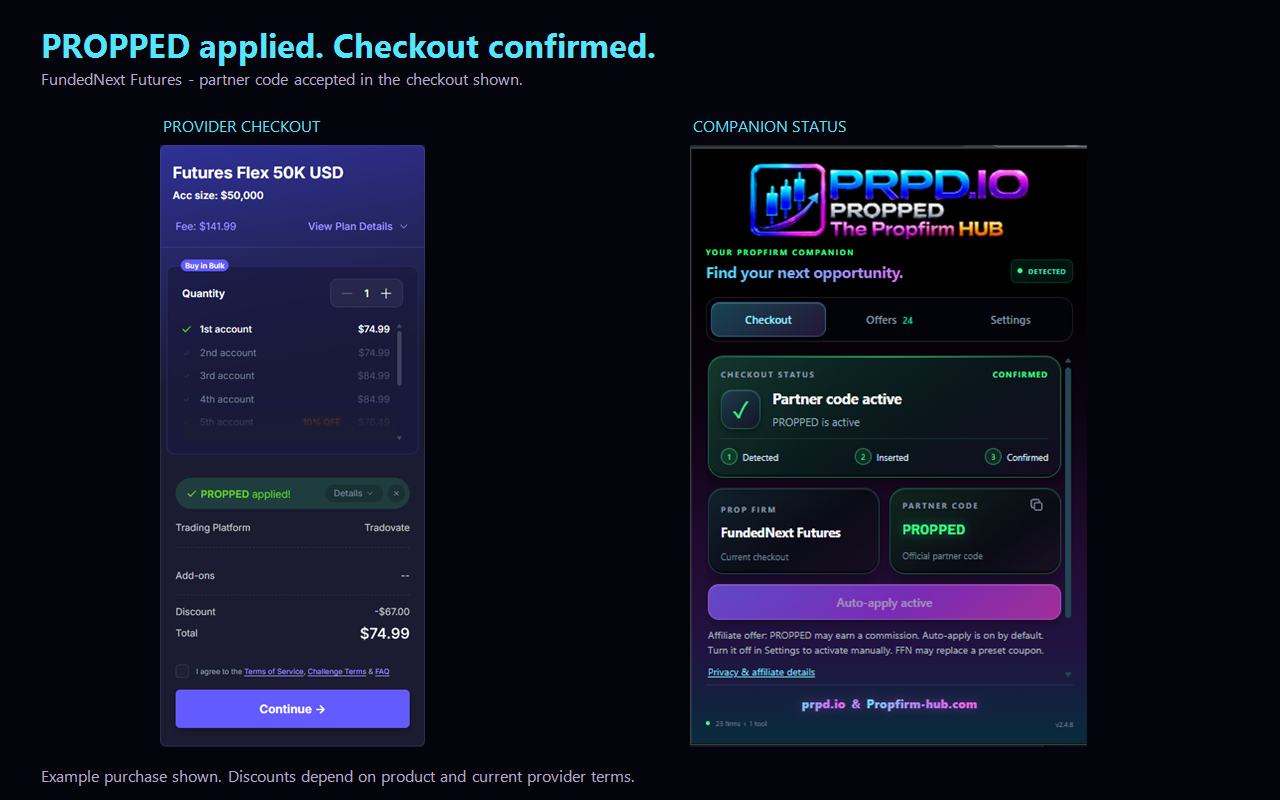
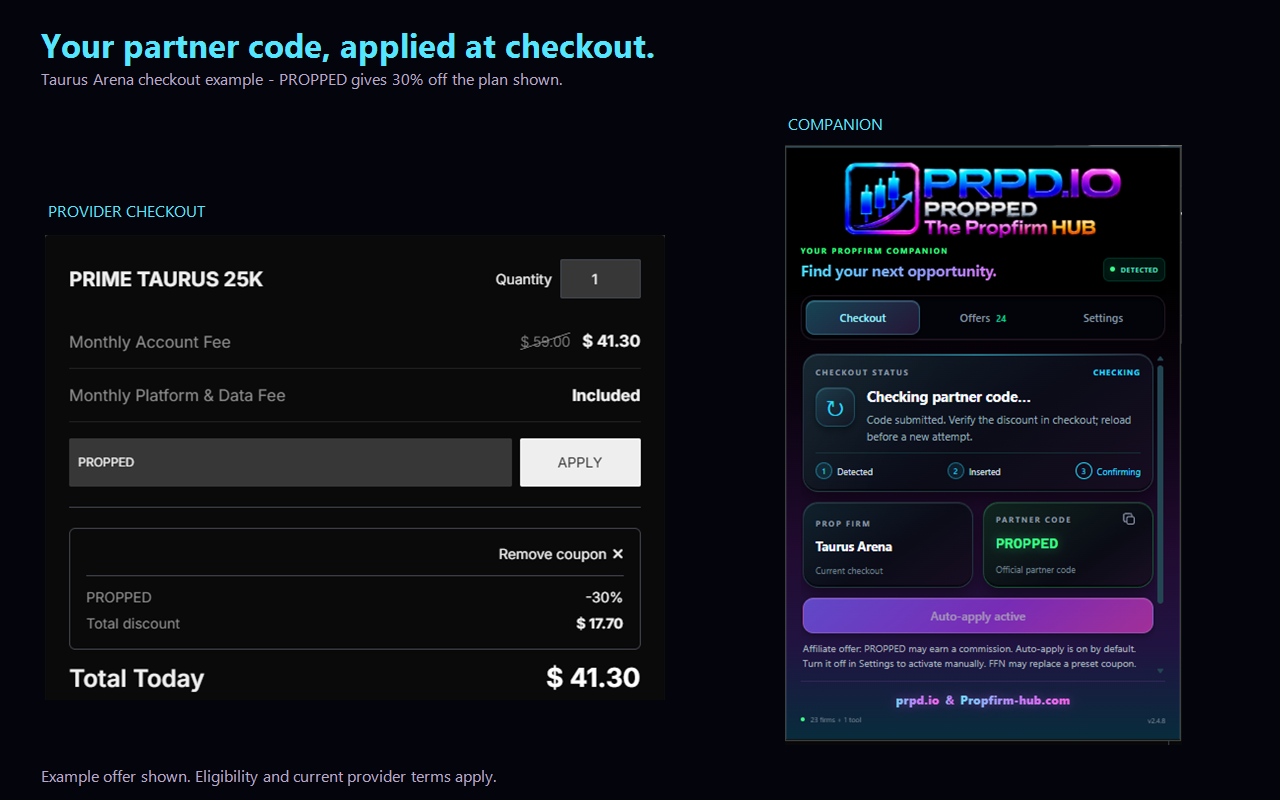
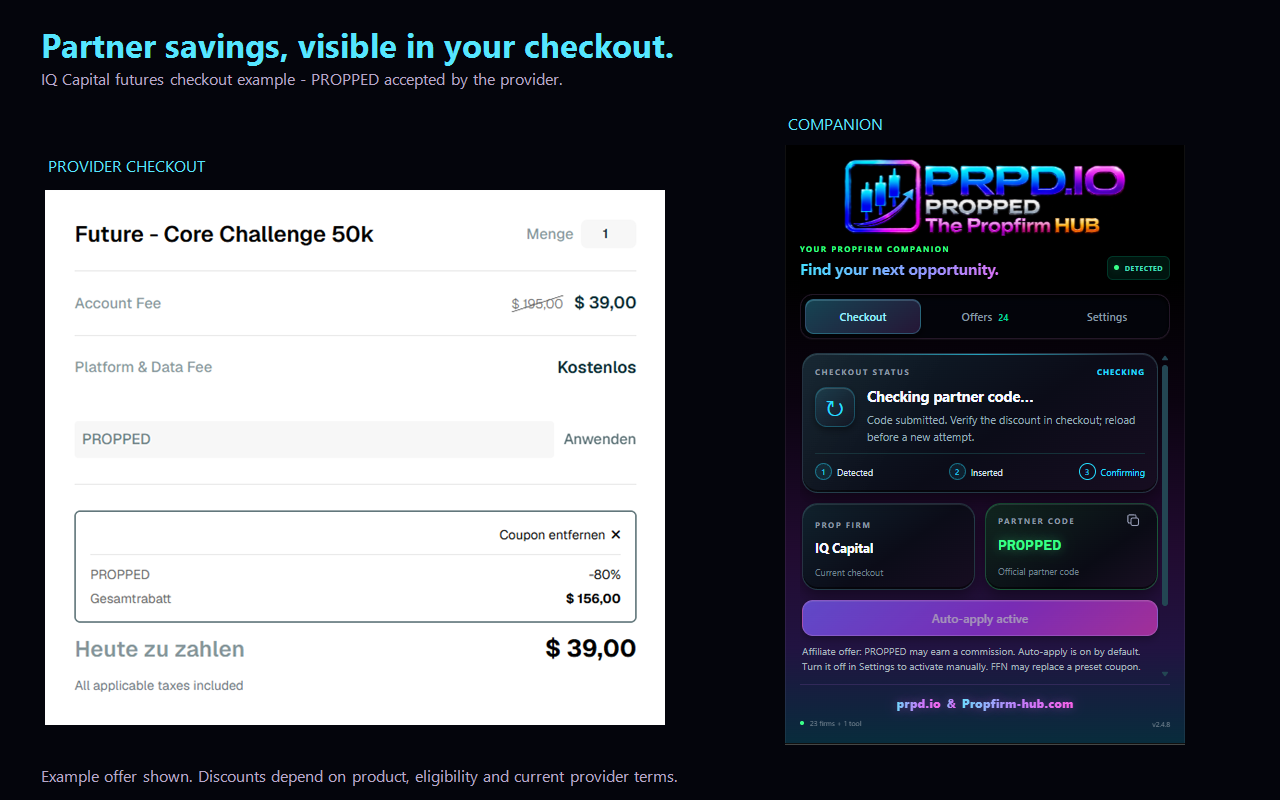
Screenshots show example purchases and captured interface states. Prices, promotions and provider websites may change. Website recognition and checkout assistance depend on the domains and checkout flows supported by your installed version.
Keep your favorite firms close. Find your partner code. Check your offer before you buy.
A transparent partnership. PROPPED Companion includes affiliate links and partner codes. We may earn a commission when a purchase is attributed to one of them.
Discounts depend on the provider, product, promotion period and eligibility. We do not guarantee a specific saving, the lowest price, evaluation success, trading profits or payouts.
Check the offer. Review the terms. Make your own decision.